
Intermediate Word and Excel Term 2 2026
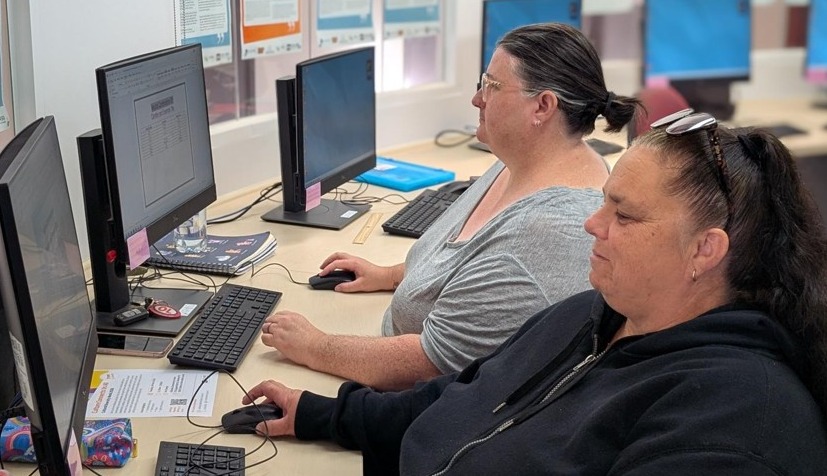
This class will build your skills and knowledge in using Microsoft Word and Excel.
Learn how to make spreadsheets, organise data and more.
Date: Fridays, 1 May – 5 June (sessions on 15 May & 22 May have been cancelled)
Time: 11:45am – 1:45pm
Cost: $30 (6 sessions) *
Week 1. Microsoft Office Word - Create a business letter, Inserting pictures for logo, Use picture frames, Using bullets and numbering
Week 2. Microsoft Office Word - Track changes, Save as a template, Insert automatic date, Format pictures
Week 3. Microsoft Office PowerPoint - Creating a Calendar, Crop pictures, WordArt
Week 4. Microsoft Office Excel - Creating a 13 page linked home budget, Adding pages, Typing on multiple pages using shift key, Formatting text and cells
Week 5. Microsoft Office Excel - Continue 13 page linked home budget, Linking pages, Complex formulas
Week 6. Microsoft Office Excel - Complete 13 page linked home budget, Add data, Check for errors, Lock cells, Add sheet protection, Add Password
* Due to high demand, registrations are limited to one computer program per person.
* For group enquiries please call the centre on 9249 4900
If you would like to join a program that has already started, please contact the Centre on 9249 4900 to organise a pro-rata payment.
You will receive a Promo Code so you only pay for classes from your start date.
Learn how to make spreadsheets, organise data and more.
Date: Fridays, 1 May – 5 June (sessions on 15 May & 22 May have been cancelled)
Time: 11:45am – 1:45pm
Cost: $30 (6 sessions) *
Week 1. Microsoft Office Word - Create a business letter, Inserting pictures for logo, Use picture frames, Using bullets and numbering
Week 2. Microsoft Office Word - Track changes, Save as a template, Insert automatic date, Format pictures
Week 3. Microsoft Office PowerPoint - Creating a Calendar, Crop pictures, WordArt
Week 4. Microsoft Office Excel - Creating a 13 page linked home budget, Adding pages, Typing on multiple pages using shift key, Formatting text and cells
Week 5. Microsoft Office Excel - Continue 13 page linked home budget, Linking pages, Complex formulas
Week 6. Microsoft Office Excel - Complete 13 page linked home budget, Add data, Check for errors, Lock cells, Add sheet protection, Add Password
* Due to high demand, registrations are limited to one computer program per person.
* For group enquiries please call the centre on 9249 4900
If you would like to join a program that has already started, please contact the Centre on 9249 4900 to organise a pro-rata payment.
You will receive a Promo Code so you only pay for classes from your start date.
Friday 1 May 2026 11:45 AM - Friday 5 June 2026 1:45 PM (UTC+10)
Location
Delahey Community Centre
70 Copperfield Drive, Delahey VIC 3037
Contact Details
Delahey Community Centre

Privacy Collection Statement: Personal and health information collected on enrolment forms is used solely for the purpose of participating in the program that you have enrolled in. The personal and/or health information will not be disclosed to any other person unless required by law. You may apply for access and/or make amendment to your personal or health information if required by contacting Council’s FOI Officer in writing.

Contact Form
Intermediate Word and Excel Term 2 2026

Resend recently purchased tickets to our events to your email.
Enter email to start search
You can review the event organiser's terms and conditions here.