

Industries · PTAs
PTA events &fundraising
Summer BBQs, quiz nights, discos, Christmas fairs. Sell tickets online and on the door, take donations from parents, and keep more of every pound for your school.



Running the ticketing is one more job on a list that is already long. TryBooking takes it off you: sell tickets online or on the door, manage entry with scanning and timeslots, and collect donations from parents at the same booking.
You don’t need your own website, and you don’t need a budget to start. Free events stay free, with full access to every feature.
More for your school, less admin for your committee
Why PTAs choose us
Simple pricing, practical event tools, and friendly local support for volunteer-led committees.
Events we help PTAs run
From the summer BBQs to Santa’s Grotto, TryBooking handles it. Set it up once, share the link in the newsletter, and watch the numbers come in.
Free entry alongside paid rides, games and refreshments.
One event, a timeslot per year group, a capacity on each.
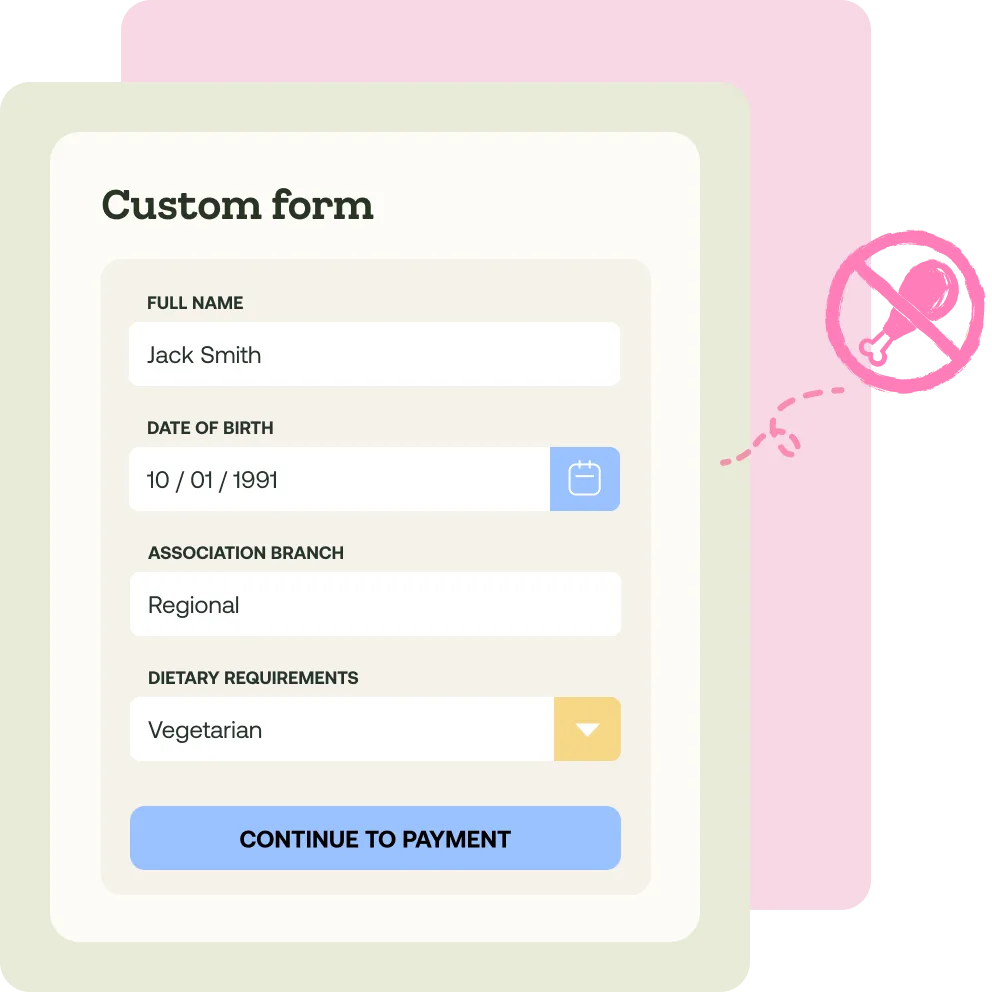
Sell whole tables or individual seats. Collect team names and dietary requirements during booking.
Grotto slots, Christmas fair and winter wonderlands, all bookable ahead so you know what to prepare.

Free events, genuinely free
Nothing at all on free events, and 5% + 20p per ticket on paid ones, including VAT and card processing. No subscriptions, no contracts, no hidden extras. Pass the fee to ticket buyers and your PTA pays nothing.

Sell online and at the school gate
Share your event page in the newsletter, on social media or on the school website. On the day, take card, cash and contactless payments with the free Box Office app, with no extra hardware needed.

Donations alongside tickets
Add an optional donation to any event, so parents who want to give a little more can. Contributions land in the same account as your ticket sales, with no separate collection to reconcile.

A UK team on the end of the phone
Phone, email and live chat support from our UK customer service team, plus help guides and tutorials in the Learning Centre. Real people who understand PTA events.

Committees change. Your events don’t.
Duplicate last year’s event and everything comes with it: the same ticket types, the same custom questions, the same setup. When the new chair takes over in September, they don’t start from a blank page.
Features for PTA events
On the day
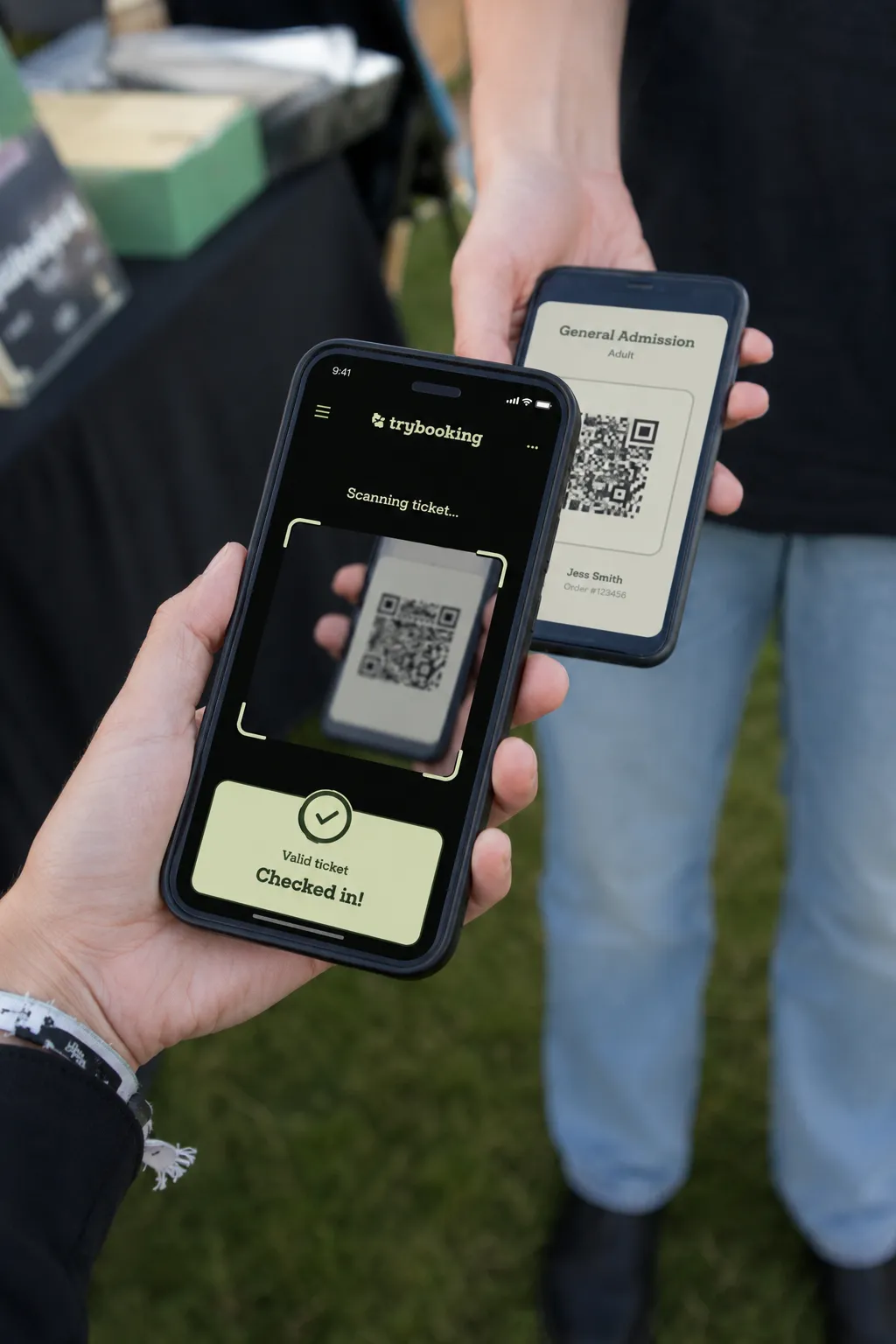
Check-in and onsite payments just got easier! If you're scanning tickets or selling tickets on the door, we have two perfect apps to help.

Box Office App
Accept card, cash and contactless payments instantly at your event with our Box Office app. Great for ticket sales, merchandise, refreshments and more!
Scanning app
Validate tickets at entry, scan guests in and out, and monitor live attendance numbers. Works offline, and volunteers can help without seeing your data.
A fantastic platform for events
"I’ve set up an account for our local PTA Christmas fair. The site is easy to use, very transparent & reasonable on fees & provides on the go reporting. Customer service support has been excellent - all my technical queries have been resolved quickly, professionally & enhanced our event. Highly recommend these guys!"


Common questions from PTA committees
Yes. Sell tickets online through your event page, and in person through the Box Office app using Tap to Pay. No extra hardware is required.
TryBooking is an event ticketing platform built for community groups. Set up events, sell tickets, take payments and manage entry on the day, all in one place.
It’s free to create an account and free to set up events. Free events are completely free to run, with full access to every feature. You only pay when someone buys a paid ticket.
Create your event page, set your ticket types and prices, and you can be selling within minutes. You get a link to share in the school newsletter, on social media, or on your school website.
Yes. Sell paid tickets, offer free RSVPs, or run a mix of both for your PTA events, all from the same event page.
Ticket sales, minus any fees you’ve chosen to cover as the event organiser, are added to your TryBooking account balance. To withdraw them, add a UK bank account, which we'll need to verify by sending you a small verification amount. Once verified and after your event has completed, you'll be able to request funds.
No. There are no setup costs, no ongoing subscriptions and no minimum usage requirements. You only pay when you sell a paid ticket, at 5% + 20p including VAT and all payment processing.
Yes. The free Box Office app takes card, cash and contactless payments in person, which is ideal for last minute sales or entry on the day.
Yes. Add team members with different permission levels, so your committee can collaborate and share the workload.
Yes. Custom forms let you collect whatever information you need, from dietary requirements and class year to a parent contact number.
Yes. Free phone, email and live chat support is available from our UK customer service team, plus help guides and step by step tutorials that walk you through every feature in the Learning Centre.
Make the summer fair the easy bit
Free to set up, and free for free events. Our UK team can help you get your first event live.
