SEO for events
Most people looking for an event in their area start with a search. They type “comedy night Manchester,” “kids workshop Edinburgh,” or “networking event for accountants Leeds” into Google, and they click one of the top results. If your event doesn’t appear, it doesn’t get considered.
Search engine optimisation (SEO) is the practice of making your event discoverable in those searches – without paying for each click. This guide focuses on the practical steps that matter most for event organisers: setting up Google Business Profile, using event schema markup, writing descriptions that rank, and building local search presence.
SEO is a long game. Results take weeks to months to materialise, not days. But the traffic it generates compounds over time, and unlike paid advertising, it doesn’t stop the moment you pause spend.
How do I use Google Business Profile for event SEO?
If you run events at a consistent location – a venue, a studio, a hall, a club – Google Business Profile (GBP) is one of the most valuable free tools available. A complete, verified GBP listing means your organisation appears in Google Maps results, in the local panel on search results pages, and increasingly in Google’s AI-generated search summaries.
To set up or claim your profile, go to google.com/business. Search for your organisation’s name; if it already appears, claim it. If not, create a new listing.
Make sure your profile is fully complete:
- Business name exactly as it appears on your website and ticketing pages
- Address and service area
- Phone number and website URL
- Business hours (and any special event hours)
- Photos of your venue, past events, or your organisation’s work
- Business category that accurately reflects what you do
Once your profile is live, keep it active. Post updates about upcoming events directly through GBP – these appear in your listing and in local search results. They don’t replace your website, but they give Google more signal that your organisation is active and relevant.
Encourage attendees to leave reviews on your GBP listing. A venue or event organiser with a solid review score and recent reviews ranks better in local search than a competitor with an empty or outdated profile.
What is event schema markup and how do I add it?
Schema markup is structured data – code embedded in your web page that tells search engines exactly what the page contains. For events, it tells Google the event name, date, time, location, ticket price, and organiser in a format it can read and display directly in search results.
When Google reads event schema correctly, your event may appear in the Google Events results – the prominent, visually distinct listing that appears near the top of a search page when someone searches for an event type in a specific location. These results receive significantly more visibility than standard organic listings.
The event schema properties that matter most:
name– the event namestartDate/endDate– in ISO 8601 format (e.g., “2026-11-15T19:00”)location– withnameandaddresssub-propertiesorganizer– your organisation name and URLoffers– price, currency, and URL to the ticket purchase pagedescription– a brief, keyword-rich summary of the eventeventStatus– whether the event is scheduled, cancelled, or postponedeventAttendanceMode– in-person, online, or mixed
Schema is implemented as JSON-LD, a block of code placed in the <head> of your page. If your website uses WordPress, plugins like Schema Pro or Yoast SEO can generate this automatically. If you’re on another platform, a developer can add it manually in under an hour.
After adding schema, use Google’s Rich Results Test to verify it’s implemented correctly. Google Search Console also shows whether your pages are eligible for event rich results under the “Enhancements” section.
How do I write event descriptions that rank on Google?
The description on your event page does two jobs: it convinces people to buy a ticket, and it tells search engines what the page is about. Both matter.
For search engines, the words on your page are the primary signal used to determine relevance. A page with a thin description (“Join us for a great night out!”) gives Google almost nothing to work with. A page that explains what the event is, who it’s for, where it is, and what will happen gives Google the context it needs to surface your page when someone searches for exactly that thing.
Write naturally – don’t stuff keywords awkwardly into sentences. Google has become very good at understanding the topic of a page even when the exact search phrase isn’t used verbatim. What matters is that your description is genuinely informative and specific.
Good event descriptions typically include:
- The event name and format (concert, workshop, festival, networking event)
- The date, time, and venue (including postcode and city)
- Who the event is for and what they’ll get from attending
- Any notable speakers, performers, or guests
- Ticket prices and how to buy
- Any practical information (parking, accessibility, age restrictions)
This information isn’t just useful for SEO – it’s what attendees need to decide whether to come. Good content and good SEO usually point in the same direction.
How do I write title tags and meta descriptions for events?
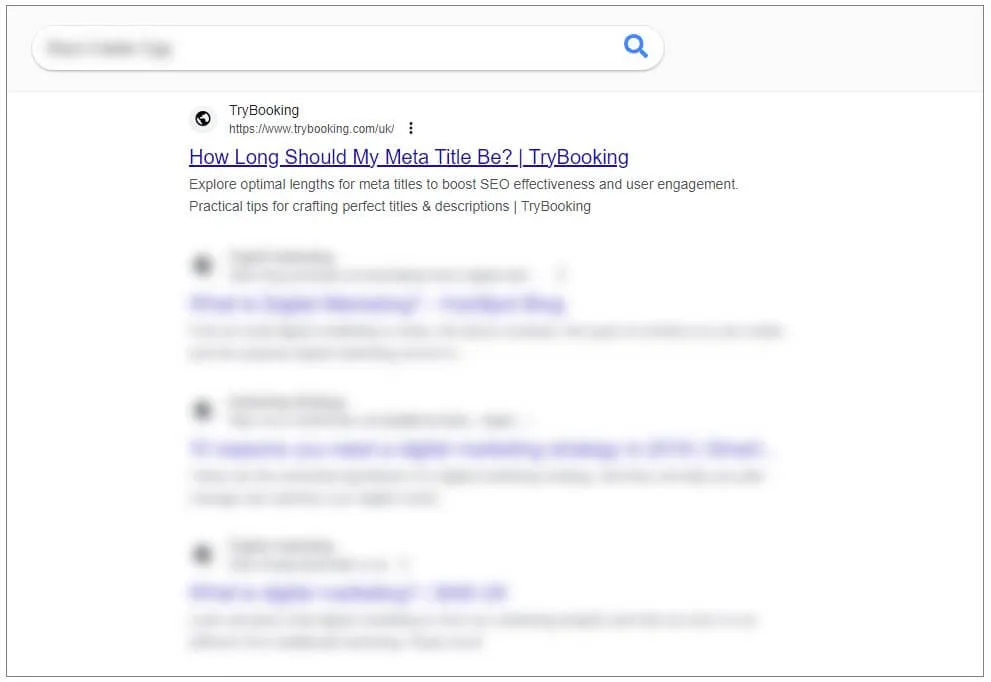
Every page on your website has a title tag (the text that appears in the browser tab and at the top of a Google search result) and a meta description (the short summary underneath). These are among the first things Google reads when indexing your page.
Your title tag should include the event name and location at minimum. Something like: “Jazz in the Garden – Royal Botanic Garden, Edinburgh – Saturday 15 November” is far more useful to both Google and potential attendees than “Event Details – Our Website.”
Your meta description won’t directly affect your ranking, but it affects whether people click. Write it as a short, direct summary that includes the key information and gives someone a reason to click through. Keep it under 155 characters so it displays in full.
If you manage your own website, most content management systems have a built-in field for meta titles and descriptions. If not, plugins like Yoast SEO (WordPress) or equivalent tools add this capability.
How do I rank for local event searches?
Most events are local. Even national festivals draw primarily from nearby audiences. Making sure your event ranks for local searches – “events this weekend Leeds,” “things to do in Glasgow this Saturday” – requires a few specific actions.
Mention location explicitly. Include the postcode, city, and county in your event description, your page title, and your URL if possible. “Workshop” ranks poorly; “Photography workshop, Shoreditch, London” has a clear geographic signal.
Build local links. When local newspapers, community boards, venue websites, local councils, or tourism directories link to your event page, Google treats this as a relevance signal for local searches. Reach out to local event listing sites and community platforms to get your event listed. Many are free.
Keep your NAP consistent. NAP stands for Name, Address, Phone number. If your organisation’s details appear differently across your website, Google Business Profile, social media profiles, and directory listings, it creates confusion for search engines. Use identical details everywhere.
List on local event directories. Sites like Eventbrite, What’s On, Time Out (for major cities), and local council event pages often rank well for local event searches. Getting your event listed on these sites means you can appear in search results even before your own website has built any authority. These listings also provide backlinks to your site, which helps your own rankings over time.
What technical SEO basics does my event website need?
You don’t need to be a developer to manage the basic technical requirements, but a few things are worth checking.
Mobile performance. The majority of people searching for events are on their phones. A website that’s slow or awkward to navigate on mobile will both frustrate visitors and rank lower than a mobile-optimised competitor. Test your site using Google’s PageSpeed Insights – it scores both mobile and desktop performance and identifies the specific issues dragging your score down.
Page load speed. Slow pages lose visitors before they’ve read a word. The single biggest driver of slow pages is oversized images. Compress images before uploading; for most event pages, a well-compressed image under 200KB is sufficient.
No broken links. A page that returns a 404 error – because a link points to a page that no longer exists – is both a poor user experience and an SEO signal Google treats negatively. Check periodically using a free tool like Screaming Frog or Google Search Console’s “Coverage” report.
HTTPS. Your website should be served over HTTPS (the padlock icon in the browser). Sites without HTTPS are flagged as insecure by browsers and are penalised by Google. If your site still uses HTTP, talk to your hosting provider – most offer free SSL certificates.
How do I use Google Search Console for event pages?
Google Search Console is free and provides direct insight into how your site is performing in search. It shows:
- Which queries are bringing people to your site
- Which pages appear in search results and how often they’re clicked
- Technical errors affecting your pages
- Whether your event schema is being read correctly
Connect Search Console to your website via search.google.com/search-console. Verify ownership using one of the methods provided (a DNS record or an HTML tag are the most straightforward). Once connected, use the “URL Inspection” tool to submit individual event pages for indexing – this prompts Google to crawl and index your page faster than waiting for it to find the page organically.
How long does SEO take to work for events?
The frustrating reality of SEO is that results are slow. A new event page may take several weeks to appear in search results, and ranking improvements on an established page take months of sustained effort. Don’t launch a campaign one week before your event and expect SEO to fill seats.
The right approach is to treat SEO as infrastructure. Build your event pages well in advance, add schema markup as standard practice, keep your Google Business Profile active, and build local links and listings consistently. Over time, your events will rank more reliably and more prominently, and you’ll spend less on paid advertising to fill the same number of seats.
How can TryBooking help with my event SEO?
TryBooking’s event pages are built to be indexable by search engines and are designed to feed correctly into Google’s event discovery features. When you create an event on TryBooking, the event page includes the structured information – date, location, price, organiser – that Google needs to surface it in relevant searches. Embedding a TryBooking booking widget on your own website also creates a link between your site and the TryBooking domain, which carries SEO authority built from millions of event listings.